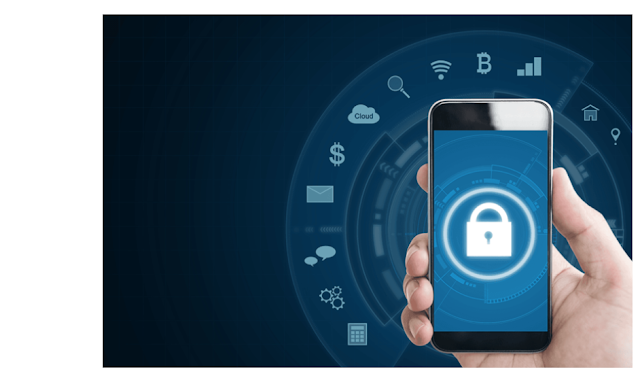
Learn how to secure your mobile phone with practical tips for privacy, data protection, and safety. Keep your device safe from risks and unauthorized access.
Secure Your Mobile Phone – Best Tips to Protect Data and Privacy

Mobile phones have become an essential part of our lives. From financial transactions to personal photos, everything is stored in one device. But with convenience comes risk—data theft, malware, and unauthorized access are constant threats. To protect your information and privacy, securing your mobile phone is more important than ever. This article explores the best practices, tools, and habits to ensure your phone remains safe and reliable.
Introduction: Why Mobile Security Matters
Your mobile phone is more than a communication tool. It holds:
-
Banking and payment details.
-
Personal and professional conversations.
-
Photos, videos, and important documents.
-
Access to social media and work accounts.
Without proper security, this data can be exposed to hackers, thieves, or unauthorized users.
Common Security Risks for Mobile Phones
-
Weak Passwords or Locks – Easy-to-guess PINs or patterns.
-
Malware and Viruses – Harmful apps that steal data.
-
Public Wi-Fi Risks – Hackers intercepting unprotected networks.
-
Lost or Stolen Devices – Physical access to personal data.
-
Phishing Attacks – Fake messages or emails tricking users.
Essential Steps to Secure Your Mobile Phone
1. Use Strong Screen Locks
-
Set a strong PIN, password, or fingerprint lock.
-
Avoid simple patterns like “1234” or “0000.”
-
Hidden lock tricks can add an extra layer of privacy.
2. Keep Your Software Updated
-
Regular updates fix security bugs.
-
Always install the latest OS and security patches.
3. Download Apps from Trusted Sources
-
Use official app stores only.
-
Avoid third-party apps from unknown websites.
-
Check app permissions before installation.
4. Enable Two-Factor Authentication (2FA)
-
Protects accounts like email, banking, and social media.
-
Even if someone knows your password, they cannot log in without the second code.
5. Encrypt Your Data
-
Enable phone encryption if not already default.
-
Ensures stolen data cannot be accessed without your key.
6. Use Secure Wi-Fi Connections
-
Avoid public Wi-Fi for banking or sensitive work.
-
Use a personal hotspot or VPN for extra safety.
7. Backup Your Data
-
Regular backups protect against loss from theft or damage.
-
Use secure cloud storage or external drives.
8. Lock Sensitive Apps
-
Apply app locks to banking, gallery, or messaging apps.
-
Hidden lock features work well to disguise protected apps.
9. Manage Permissions
-
Review app permissions regularly.
-
Disable access to camera, microphone, or location if not required.
10. Be Careful with Links and Messages
-
Do not click unknown links in SMS, email, or social media.
-
Phishing scams often look genuine but steal information.
Advanced Security Practices
1. Remote Tracking and Wiping
-
Enable “Find My Device” or equivalent feature.
-
Allows you to locate, lock, or erase your phone remotely if stolen.
2. Install Security Apps
-
Some apps provide antivirus, anti-theft, and safe browsing features.
3. Secure Bluetooth and NFC
-
Turn off when not in use.
-
Prevents unauthorized nearby connections.
4. Use Biometric Security
-
Fingerprint and face unlock add speed and security.
-
Combine with PINs for maximum protection.
Benefits of Securing Your Phone
-
Privacy Protection: Keeps chats, photos, and files safe.
-
Financial Safety: Prevents fraud and theft of money.
-
Data Integrity: Avoids accidental or intentional loss.
-
Peace of Mind: Confidence that your device is protected.
-
Long-Term Reliability: Safe phones last longer and perform better.
Challenges in Mobile Security
-
Some users find strong security settings inconvenient.
-
Older devices may not support advanced features.
-
Forgetting passwords or hidden locks can cause temporary lockouts.
These challenges can be minimized with careful planning and regular habits.
Future of Mobile Phone Security
-
AI-Powered Threat Detection: Smarter tools to identify unusual activity.
-
Advanced Biometric Systems: Iris or voice recognition.
-
Self-Healing Software: Phones automatically repairing minor security flaws.
-
More Secure Cloud Integration: Stronger encryption for backups.
Frequently Asked Questions (FAQ)
1. What is the most important step to secure my phone?
Using a strong lock screen and updating software regularly.
2. Can antivirus apps help?
Yes, they add an extra layer of protection against malware.
3. How can I protect my phone if lost?
Enable remote tracking and wiping features in advance.
4. Is public Wi-Fi safe for online banking?
No, always use mobile data or VPN instead.
5. Do I need to secure even a new phone?
Yes, new phones also face risks if left unprotected.
✅DELETE HISTORY GOOGLE✅
The Secure Your Mobile Phone approach is essential for modern life. With so much personal and financial data on our devices, security is not optional—it’s a necessity. By using strong locks, safe browsing habits, app permissions, and advanced tools like encryption and remote tracking, you can ensure your phone stays safe against threats.
While risks will always exist, proactive measures provide the best defense. Protecting your mobile is protecting your digital life.